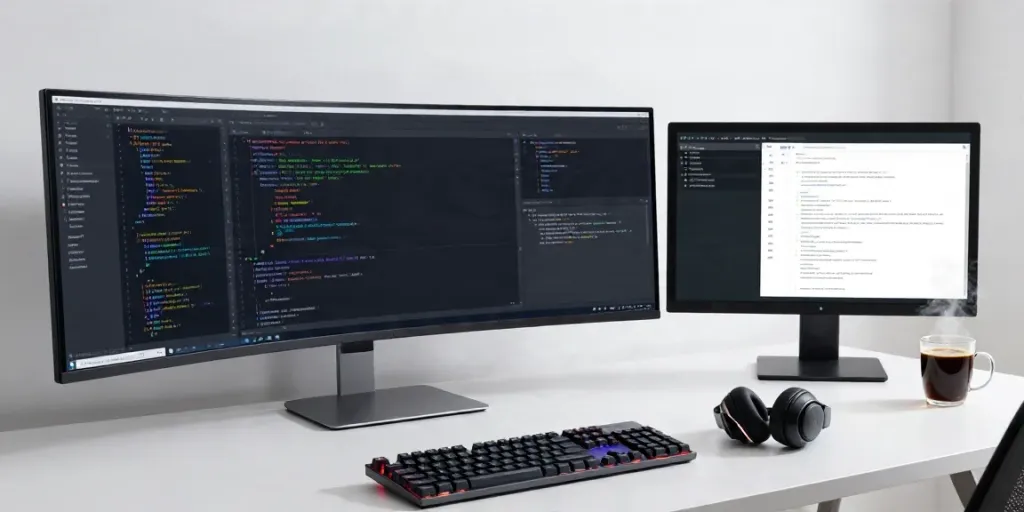
Introduction to Notepad++ and Its Core Features
Notepad++ has emerged as a favorite tool for programmers and developers alike, providing a fast, lightweight option for editing source code. While many text editors offer basic functionalities, Notepad++ stands out with its extensive feature set tailored for code editing. This free and open-source code editor supports a multitude of programming languages, making it a versatile choice for anyone looking to enhance their coding experience. In this article, we will dive deep into the core features of Notepad++, its capabilities, and why it deserves a place on your system. For further information on how to make the most of this tool, you can visit https://notepad-app.co/.
What is Notepad++?
Notepad++ is a free (as in "free speech" and "free beer") source code editor and Notepad replacement that supports various programming languages. Developed by Don Ho, this powerful editor is built using C++ and utilizes the Scintilla editing component to provide a rich text editing experience. With features like syntax highlighting, code folding, and a multi-document interface, Notepad++ has become a go-to application for both novice coders and seasoned developers.
Key Functionalities of the Editor
One of the primary draws of Notepad++ is its extensive functionality designed specifically for coding. It boasts a plethora of features that enhance user experience and productivity, such as:
- Syntax Highlighting: Supports multiple programming languages.
- Code Folding: Allows users to hide or show blocks of code.
- Multi-Document Interface: Enables opening multiple files in tabs.
- Search and Replace: Provides advanced search features including regex support.
- Plugin Manager: Facilitates easy installation and management of plugins.
- Customizable Themes: Allows users to modify appearances based on preference.
- Macro Recording: Automate repetitive tasks.
- Encoding Support: Handles various file encodings efficiently.
- Multi-Language Interface: Available in numerous languages for global usability.
How to Access and Download Notepad++
To get started with Notepad++, simply download the latest version from the official website. The installation process is straightforward, allowing users to quickly set up the application on their Windows systems. Once installed, users can customize their preferences to suit their coding needs.
Syntax Highlighting: A Programmer's Best Friend
Understanding Syntax Highlighting
Syntax highlighting is one of the most compelling features of Notepad++, enhancing readability and reducing errors. By visually distinguishing programming language elements such as keywords, variables, and comments, Notepad++ makes it easier for developers to spot mistakes and understand code structure at a glance.
File Types Supported by Notepad++
Notepad++ supports a vast array of programming languages, approximately 90 built-in languages, including popular ones like C++, Java, Python, HTML, and CSS. Whether you are developing a web application or creating scripts, Notepad++ can cater to your needs with appropriate syntax highlighting for each language.
Customizing Syntax Colors
One of the benefits of Notepad++ is the ability to customize syntax coloring. Users can modify color schemes based on their preferences, ensuring that code is not only functional but also visually appealing. This feature significantly enhances focus and reduces eye strain during long coding sessions.
Advanced Editing Tools for Software Development
Code Folding: Simplifying Code Management
Code folding is an essential feature for managing complex code bases. This functionality allows users to collapse and expand blocks of code, making it simpler to navigate through large files. By hiding sections of code that are not currently being worked on, developers can maintain concentration and keep their workspace organized.
Multi-Document Interface: Working Efficiently
Notepad++ supports a multi-document interface, enabling users to open multiple files at once in separate tabs. This feature is particularly useful for developers who need to reference multiple source files simultaneously. Additionally, users can also clone a document into a second view, allowing them to view two files side by side, which is invaluable for comparing code or editing related files concurrently.
Powerful Search and Replace Functions
The search and replace function in Notepad++ is robust and user-friendly. With features like "Find in Files," users can search through entire directories, making it efficient to locate specific strings or patterns across multiple files. Notepad++ also supports regular expression searching, enabling complex search criteria that can save time and effort when editing large codebases.
Enhancing Productivity with Plugins and Themes
How to Install Plugins via Plugin Manager
The Plugin Manager in Notepad++ allows users to extend the functionality of the editor easily. By going to the "Plugins" menu and selecting "Plugins Admin," users can browse a variety of plugins tailored for different purposes—from file comparison to FTP integration. Installation is typically straightforward and enhances the capabilities of Notepad++ significantly.
Using Customizable Themes for Better Focus
Customizable themes in Notepad++ enable users to personalize their workspace. The Style Configurator allows users to choose from a variety of themes or create their own, which can help in maintaining focus and reducing distractions. Dark mode, for instance, is a popular choice among developers who prefer a less intense color palette during late-night coding sessions.
Recording Macros for Task Automation
Macros in Notepad++ are powerful tools for automating repetitive tasks. Users can record a series of actions and replay them with a single command, which is particularly useful for text formatting or repetitive code modifications. This can save significant time and enhance productivity during long coding sessions.
The Future of Notepad++ in 2026 and Beyond
Emerging Features to Expect
As technology evolves, so does Notepad++. The development community actively seeks to introduce enhancements that continue to meet the needs of modern developers. Expect features such as integrated version control, enhanced collaboration tools, and more robust plugin support as the software progresses into 2026 and beyond.
Integration with Other Development Tools
Future updates may also focus on better integration with other development tools and platforms. This kind of connectivity can streamline workflows for developers, enhancing productivity and reducing the friction that often comes with using multiple tools for different tasks.
Community Contributions and Open-Source Development
Being open-source, Notepad++ relies heavily on community contributions for its growth. Developers can propose new features, report issues, or even contribute code, ensuring that Notepad++ continues to evolve in ways that best serve its user base. Community-driven development builds a strong ecosystem conducive to innovation.
Is Notepad++ Really Free?
Yes, Notepad++ is completely free of charge. It operates under the GPL-3.0 license, meaning that not only can users download and use it without paying, but they can also access its source code to modify it according to their needs.
Can Notepad++ Be Used for All Programming Languages?
Notepad++ supports a wide variety of programming languages; however, it does not include a compiler or runtime for these languages. It excels in text editing, syntax highlighting, and code management, making it a great choice for scripting and web development.
What Makes Notepad++ Stand Out from Other Editors?
Notepad++ differentiates itself through its open-source nature, extensive feature set, and a strong focus on usability. Unlike many competitors, it provides an array of tools designed specifically for code development without compromising on the user experience.
How to Contribute to the Community?
Contributing to the Notepad++ community can take many forms: from reporting bugs and suggesting new features to submitting code for new plugins or improvements. Participating in forums, sharing your experience, or even writing tutorials helps build a supportive environment for users new and old.
What Are Common Issues Users Face?
While Notepad++ is a powerful editor, users may encounter issues such as plugin compatibility problems or confusing settings. Addressing these common challenges through active community engagement and consulting the user manual or forums can greatly enhance the user experience.